
Ever wanted to create quizzes that guide visitors to exactly what they need?
Imagine a quick “Find Your Perfect Product” quiz on your store… customers answer a few questions, and instantly see a personalized recommendation. Or a placement test that automatically sorts students into the right course level.
Quizzes like these boost engagement, capture emails, and turn undecided browsers into confident buyers.
Sadly, most quiz tools are either frustratingly expensive, too basic to be useful, or so complicated that you need a developer just to set up the scoring.
It simply shouldn’t be this hard to ask your visitors a few questions and show them a result.
That’s why today, I’m excited to announce the Quiz Addon by WPForms.
As you know, WPForms is the #1 form builder trusted by over 6 million websites. With the Quiz Addon, you can now create graded tests, personality quizzes, and weighted assessments right inside the form builder you already know and love.
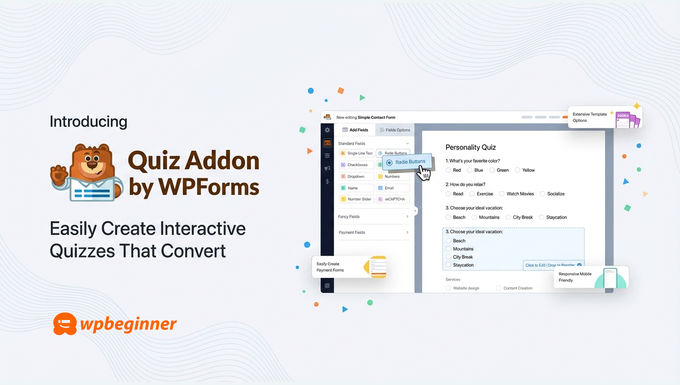
Whether you run an online store, teach courses, or offer consulting services, you can build professional quizzes that actually work… without the headache or the hefty price tag.
Background Story – Why the Quiz Addon?
For years, WPBeginner readers have asked us the same question: “What’s the best way to add a quiz to my WordPress site?”
And for years, the honest answer was… it’s complicated.
The dedicated quiz plugins either looked outdated, charged premium prices for basic features, or required hours of configuration just to get the scoring right.
I’ve watched store owners give up on product recommendation quizzes, course creators abandon placement tests, and coaches scrap lead qualification ideas… all because the tools made simple things feel impossible.
Meanwhile, businesses with big budgets were using quizzes to dramatically boost conversions. Product finders that reduce cart abandonment. Personality quizzes that segment email lists automatically. Assessments that qualify leads before the sales call.
These weren’t fancy nice-to-haves. They were proven conversion tools that most WordPress site owners simply couldn’t access.
That didn’t sit right with me.
So I challenged my team at WPForms to build something different: a quiz solution as powerful as the expensive standalone tools, but as easy as creating a contact form.
That’s exactly what the Quiz Addon delivers.
If you’d rather watch the video, here is what WPForms Quiz addon is.
What is WPForms Quiz Addon?
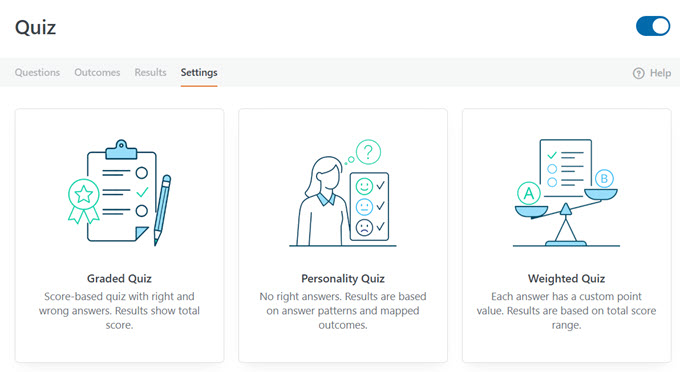
The WPForms Quiz Addon is a powerful extension that lets you create three types of quizzes directly inside the WPForms builder:
1. Graded Quizzes: Perfect when questions have right and wrong answers. Ideal for knowledge checks, course assessments, employee training, trivia contests, or classroom tests. You set the correct answers, define your grading scale, and WPForms calculates scores automatically.
2. Personality Quizzes: Best when you want to match visitors to outcomes rather than score them. Create “Which Product Is Right for You?” recommendations or “What’s Your Leadership Style?” assessments. Each answer maps to a personality type, and WPForms determines the match based on your outcomes.
3. Weighted Quizzes: Ideal when some answers should count more than others. Assign point values to each choice and trigger different outcomes based on score ranges. This is how you build lead qualification quizzes, readiness assessments, or risk scoring tools that actually work.
The best part? You can describe the quiz you want in plain English, and WPForms AI will build it for you… complete with questions, answer mappings, and outcomes.
No templates to customize for hours. A working quiz, ready to publish.
Personality Quizzes That Match Visitors to the Right Outcome
Ever taken a quiz that tells you which character you are, or what product fits your style? That’s a personality quiz… and now you can build them directly in WPForms.
Each answer choice maps to an outcome, and WPForms determines the best match based on how someone responds.
You define your possible results (called personality types), then assign every answer choice to one of those types. When someone completes the quiz, WPForms tallies their responses and shows the matching outcome automatically.
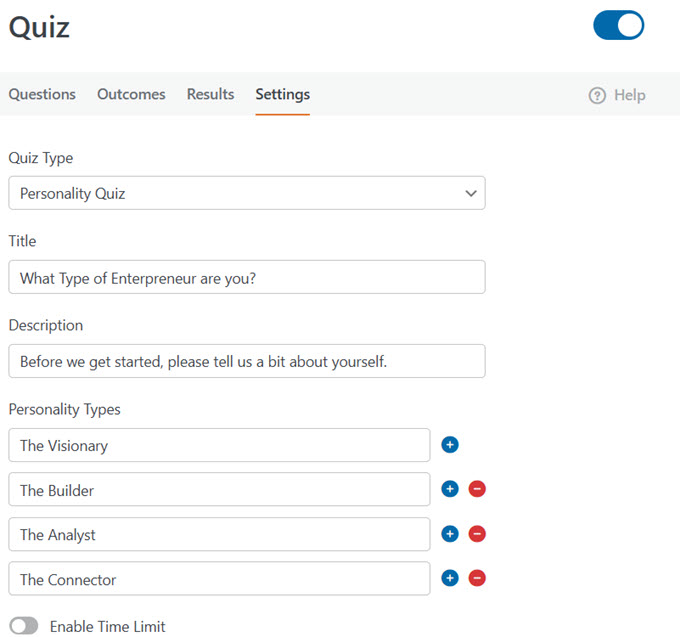
This opens up powerful possibilities:
- Product recommendations:Ask about preferences, needs, or budget, then guide customers to exactly the right product with a direct link to purchase.
- Service matching: Help prospects self-select the right package or tier before they ever contact you.
- Lead segmentation: Automatically categorize subscribers by interest, experience level, or buying intent.
- Engagement quizzes: Create fun “What Type of [X] Are You?” quizzes that drive shares and grow your email list.
No manual sorting. No complex scoring formulas. Just questions, mapped answers, and personalized results.
Graded Quizzes That Score Answers Automatically
When questions have right or wrong answers, you need a graded quiz. WPForms calculates scores automatically — you just set the correct answers and define your grading scale.
For each question, mark which answer is correct (or for text fields, enter the accepted answers). Then customize your grading scale by setting percentage ranges for each letter grade. When someone submits, they instantly see their score, percentage, or letter grade.
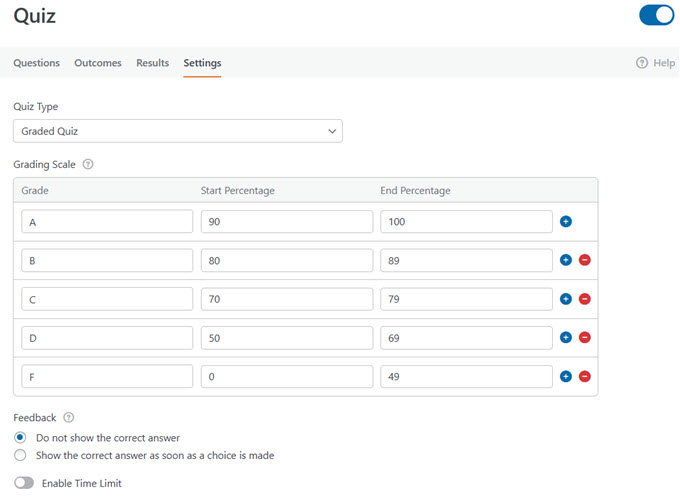
You can also enable instant feedback that reveals whether each answer was right or wrong as quiz takers progress — perfect for practice tests where learning happens in the moment.
This makes graded quizzes ideal for:
- Course assessments: Test knowledge before or after lessons, with automatic scoring that saves hours of manual grading.
- Placement tests: Use conditional outcomes to route people to different results based on their score. High scorers see advanced content; lower scorers get beginner recommendations.
- Training and certification: Create timed assessments for employee onboarding, compliance training, or skill verification.
- Trivia and contests: Run scored quizzes for engagement, giveaways, or community building.
No spreadsheets. No manual calculations. Just instant, accurate results.
Weighted Quizzes That Score Based on Value, Not Right or Wrong
Sometimes there’s no correct answer — but some answers should count more than others. That’s where weighted quizzes come in.
Instead of marking answers as right or wrong, you assign a numeric weight (0-99) to each choice. WPForms totals the weights from selected answers, and you use that total to trigger different outcomes based on score ranges.
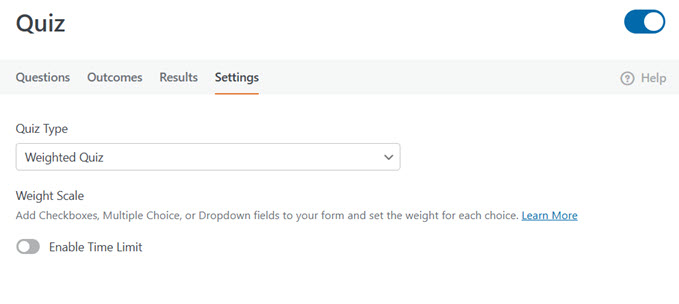
This gives you flexible scoring for scenarios like:
- Lead qualification: Assign higher weights to answers that indicate readiness (bigger budget, shorter timeline, urgent need). Route high scorers to your sales team; send others into a nurture sequence.
- Readiness assessments: Help prospects or students evaluate where they stand before committing to a program, service, or purchase.
- Risk scoring: Calculate risk levels for insurance, financial planning, or health assessments based on weighted responses.
- Surveys with priority: When some responses matter more than others, weights let you quantify preferences and tendencies accurately.
The total score drives the outcome — so you can show different messages, redirect to different pages, or trigger different follow-ups based on where someone lands.
Personalized Outcomes for Every Quiz Result
What someone sees after completing your quiz matters just as much as the questions themselves. The Quiz Addon replaces standard confirmation messages with Outcomes — result screens you can fully customize for each scenario.
Each outcome can display a personalized message, redirect to a specific page, or send quiz takers to any URL. Use smart tags to pull in dynamic details like their score, percentage, letter grade, or personality type.
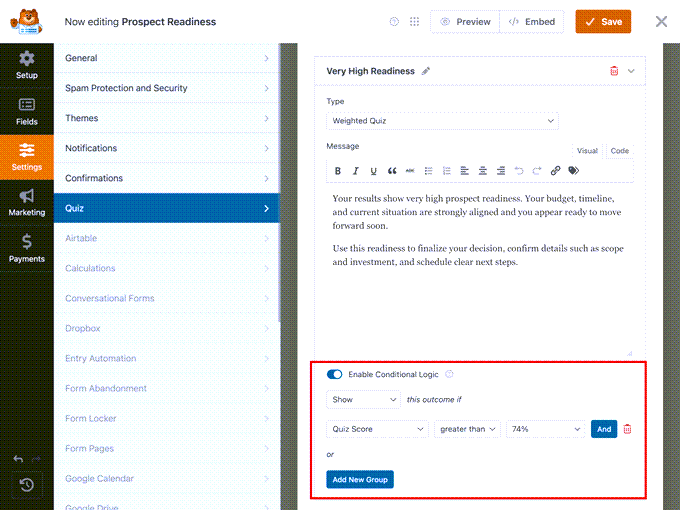
With conditional logic, you can create multiple outcomes and show different ones based on results:
- Graded quiz: Congratulate high scorers and direct them to advanced content. Encourage lower scorers with study materials and a retake link.
- Personality quiz: Show a unique outcome for each personality type with tailored recommendations or product links.
- Weighted quiz: Trigger different messages or redirects based on score ranges.
A default outcome catches anyone who doesn’t match your conditions — so every quiz taker sees something relevant.
Built-In Results Dashboard to Track Quiz Performance
Every quiz submission flows into WPForms’ entry management system — no separate dashboard to check or extra export steps.
The Quiz Addon adds a dedicated Results view with customizable graphs showing how people answered each question. Spot the most common responses, identify questions that trip people up, and understand patterns across all quiz takers at a glance.
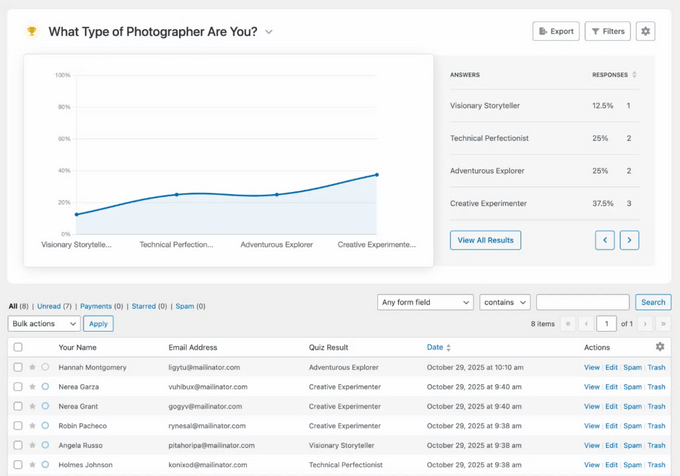
Filter results by grade range, personality type, completion status, or specific answers. Save custom filters for recurring reports — so if you want a monthly analysis of quiz completions above 75%, save that filter and pull it up instantly next time. Export in JPEG or PDF to share with your team.
And because quiz results live inside WPForms, they connect to your entire workflow:
- Send high-scoring leads directly to your CRM
- Trigger different email sequences based on personality type
- Add quiz takers to specific email lists automatically
- Route customer service quizzes to the right department
No manual data transfer. Your quizzes feed the systems you already use.
Time Limits for Timed Quizzes and Tests
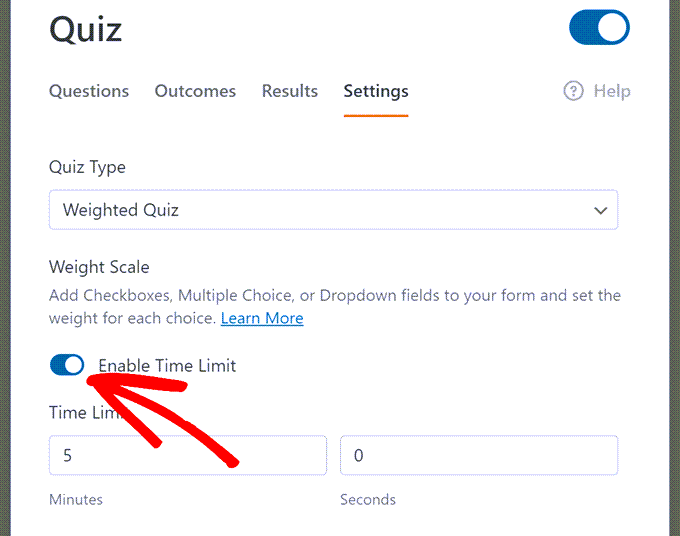
Some quizzes need a clock. The Quiz Addon includes built-in time limits that work with any quiz type.
Set the duration in minutes and seconds, then choose what happens when time runs out:
- Auto-submit: Submits the quiz as-is when the timer expires
- Lock remaining questions: Prevents answers to unanswered questions but keeps the quiz open
- End completely: Stops the quiz immediately
You can also customize the message quiz takers see when time runs out.
This makes timed quizzes ideal for:
- Certification tests: Ensure candidates complete assessments within required timeframes
- Classroom quizzes: Replicate exam conditions for students taking tests online
- Skill challenges: Add pressure to trivia contests or competitive assessments
- Screening assessments: Measure how quickly candidates can work through problems
No third-party timer plugins. Just set the limit and let WPForms handle the rest.
Built by the Team Behind the #1 Forms Plugin
WPForms is the most beginner-friendly form builder for WordPress, trusted by over 6 million websites.
For years, we’ve focused on making powerful features accessible to everyone. The Quiz Addon continues that mission by bringing advanced quiz functionality to WordPress — without the complexity or cost of standalone tools.
Everything integrates seamlessly with the features you already use: conditional logic, email notifications, payment integrations, CRM connections, and entry management. Your quizzes work with your existing workflow, not against it.
And because the Quiz Addon is included with all Pro plans, there’s no extra subscription eating into your budget.
Get Your First Quiz Live in Minutes
Remember those quiz tools that took hours to configure and still didn’t work right? This isn’t that.
Enable Quiz Mode in your form settings, pick your quiz type, and start adding questions. Mark correct answers for graded quizzes, map choices to personality types, or assign weights — depending on what you’re building. Set up your outcomes, embed the quiz, and you’re live.
If you want to move even faster, describe the quiz you need in plain English and let WPForms AI build it for you — complete with questions, answer mappings, and outcomes ready to customize.
Already have a form you want to turn into a quiz? Just enable Quiz Mode on any existing form and configure the fields you want scored. No need to start from scratch.
As always, thank you for your continued support of WPBeginner. I look forward to seeing the creative quizzes you build — and hearing how they help grow your business.
Yours Truly,
Syed Balkhi
Founder of WPBeginner


