
With AI writing assistants becoming so common, it can be tough to tell the difference between human and AI-generated content. This creates a real challenge for everyone involved in creating content for the web.
We understand this from both sides.
As a writer, you might worry about your own original work getting incorrectly flagged as AI-written. And as a business owner, you need to ensure that the content you pay for is authentic.
We’ve tested the top tools to find a reliable solution. In this guide, we will compare the best AI content detectors to help you verify your content with confidence.
Overview of the Best AI Content Detectors
If you are in a hurry, then here’s a quick overview of the best AI content detectors:
| # | AI Detectors | Best For | Pricing |
|---|---|---|---|
| 🥇 | Originality.ai | Real time AI content detection | $12.45/month |
| 🥈 | GPTZero | Plagiarism and AI checker | $10/month + Free |
| 🥉 | Sapling | CRM with AI detection | $25/month + Free |
| 4 | Writer | AI, plagiarism, and grammar checker | $18/month |
| 5 | Copyleaks | AI checker for educational institutes | $7.99/month |
| 6 | CrossPlag | AI detector for small businesses | Free |
TL;DR: Our testing shows that Originality.ai is the best overall AI detector because of its high accuracy and powerful features. For educators, GPTZero is a fantastic alternative, while Sapling is a great free option for support teams needing CRM integration.
Table of Contents
Here is a list of topics we’ll cover in this article:
Why Do You Need AI Content Detection Tools?
AI content detectors are becoming essential for maintaining high standards on your WordPress website.
Here are the key reasons why you should consider using one:
- Prevent Plagiarism: They help identify any content that has been copied from other sources. This is especially helpful if you accept guest posts or manage a multi-author blog.
- Improve Content Quality: AI detectors can spot poorly written text that was generated by AI tools. This kind of content often has repetitive sentences, long paragraphs, and an unnatural tone.
- Ensure Academic Integrity: For educational websites or if you teach virtual classes, these tools can identify AI-generated content in student assignments.
- Navigate Copyright Concerns: AI content detectors can help you manage content created by AI tools. The legal landscape is still developing, but potential issues can come up because AI models are trained on vast amounts of internet data, some of which may be copyrighted.
It’s important to remember that no AI detector is 100% perfect. These tools should be used as a helpful guide to flag potential issues, rather than as a definitive verdict.
Don’t Let AI Content Hurt Your SEO

All in One SEO is a complete WordPress SEO toolkit. It helps you optimize every page for human readers, search engines, and AI crawlers. With powerful TruSEO analysis, it ensures your high-quality content gets the visibility it deserves.
How We Test And Review AI Content Detectors
To give you some great recommendations, we tested the most popular AI content detectors. When doing that, we paid special attention to the following criteria:
- Ease of Use: We have tried to find AI detectors that are beginner-friendly and come with an intuitive interface.
- Reliability: We have only recommended tools that we have used and tested ourselves for AI content detection.
- Features: An ideal AI detector has features like a detection score, language analysis, a plagiarism checker, and more.
- Accuracy: We evaluated how well the tool detects AI-generated content by testing it against a mix of AI-written and human-written texts.
- Speed: We tested how quickly the tool can analyze content. This is important for users who need to process large amounts of text efficiently.
How we use these tools: At WPBeginner, our editorial team uses AI tools to brainstorm outlines and research topics. We then use AI detectors as a final quality check to ensure every article maintains our unique brand voice and provides genuine, first-hand expertise.
📣 Why Trust WPBeginner?
At WPBeginner, we’re a team of experts with years of experience in WordPress, SEO, hosting, and online marketing.
We have thoroughly tested each tool on the list to give you some great recommendations. For details, see our editorial process.
When it comes to testing AI content detectors, we’ve evaluated them on a variety of content, from blog posts and articles to product descriptions and even social media posts.
This helped us understand how accurately each tool detects AI-generated text without flagging genuine human content.
Plus, we checked each platform’s user-friendliness to ensure that even beginners can easily use them.
Having said that, we have created a list of the best AI content detectors for WordPress that can help you identify plagiarism and improve your content.
Related: See our opinion on whether AI content is bad for WordPress SEO.
1. Originality.ai
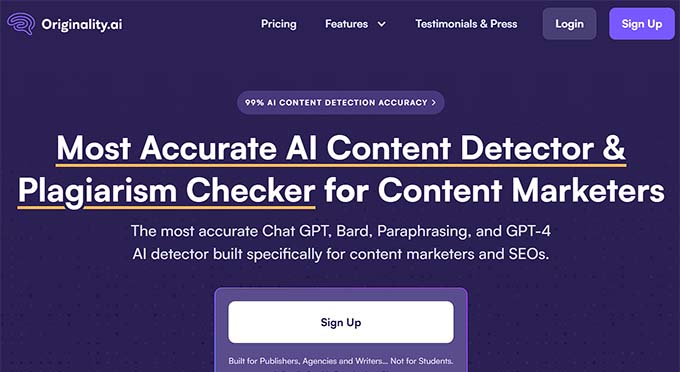
Originality.ai is the best AI content detection tool on the market that provides real-time detection and checking.
During our testing, we found it to be highly accurate, rarely missing AI-generated content. Plus, we really love the plagiarism checker that makes it super easy to spot sections written by AI and separate them from human-written content.
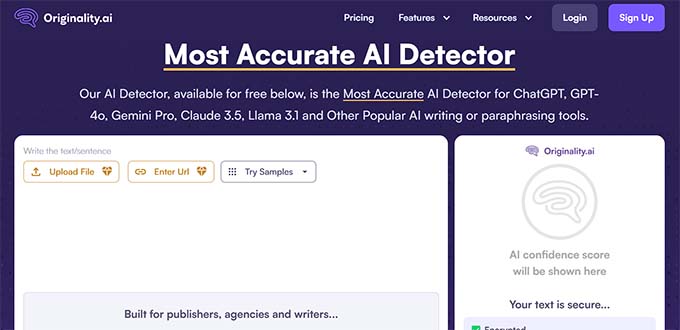
For an additional fee, Originality.ai can also check your content for factual accuracy. This can be helpful if your blog relies on accurate information.
It can even give a readability score and offer recommendations to optimize the content for better audience engagement.
Other than that, the tool comes with an analytics feature that shows how much you have been using Originality.ai.
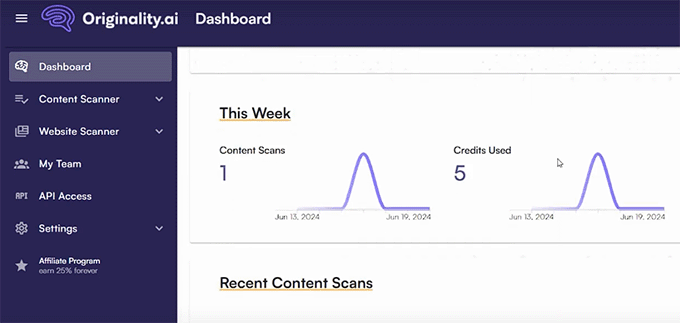
It even provides a list of your recent content scans right on the front page of your dashboard.
From there, you can quickly check the plagiarism results and use the quick links to review the scans, making it super easy to stay on top of your content’s originality.
Pros of Originality.ai
- Originality.ai has an exceptionally high accuracy rate.
- We found it to be a super fast tool that provides real-time content detection.
- Originality.ai is affordable as it only costs $0.01/credit to scan 100 words.
- It comes with a Chrome extension.
- The tool provides AI content detection for different content, including text, images, and code.
- It has an easy-to-use interface, making it beginner-friendly.
Cons of Originality.ai
- Originality.ai does not offer a free trial, so you must purchase the tool before using it.
- The tool currently only supports the English language for content detection.
Why we recommend Originality.ai: Overall, Originality.ai is a user-friendly tool that comes with a high AI content detection accuracy rate and is super affordable.
If you are an editor or digital marketer, then we recommend using Originality.ai to check your content for plagiarism and optimize it to improve search engine rankings.
2. GPTZero
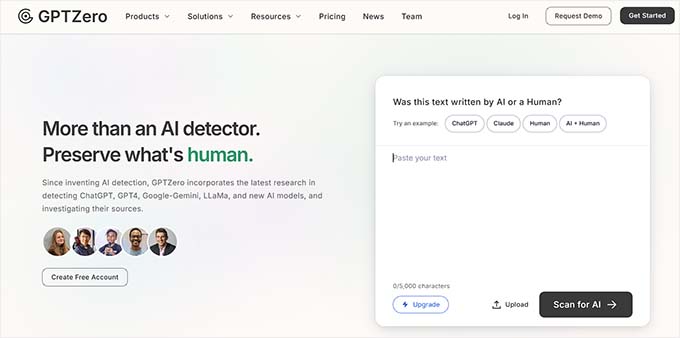
GPTZero is a popular plagiarism checker and AI content detection tool that was primarily built for educators.
During testing, we found its user interface to be simple, making it an ideal choice for beginners. Plus, we love that it is completely free to use.
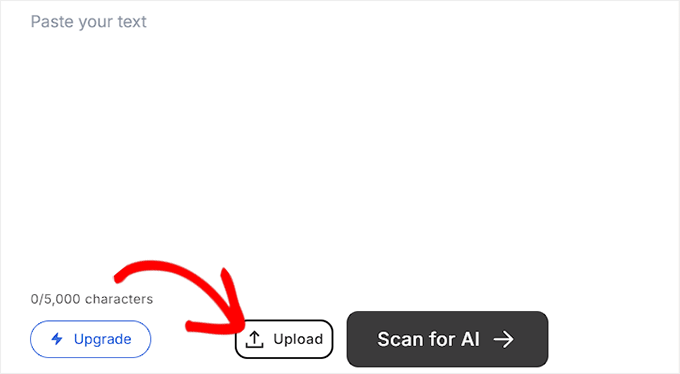
You can also upload documents like PDFs and Word files from your computer to check for AI-generated content.
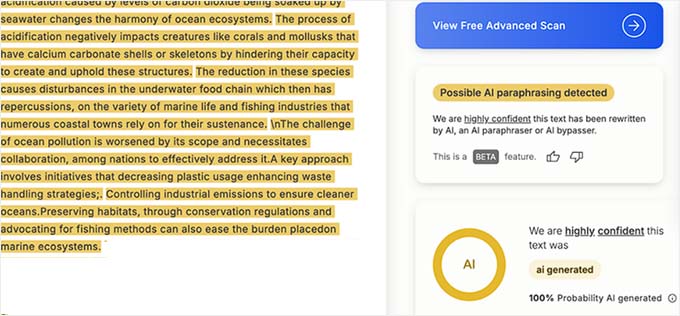
GPTZero uses its own advanced AI model, which is trained to spot text from tools like ChatGPT. In our tests, it showed a very high accuracy rate for detecting AI-generated text.
It is great for educators because it comes with batch processing. This means it can analyze multiple documents or large amounts of text in a single session.
GPTZero also has a shield to defend against attempts to bypass detection, like paraphrasing tools or clever tricks where text uses similar-looking characters from different alphabets to fool scanners.
Pros of GPTZero
- GPTZero is super easy to use, as you only have to copy and paste the content you want to analyze.
- It offers LMS and MS Word integrations.
- It can easily integrate with other platforms using an API.
- GPTZero’s source evaluation feature assesses facts within the text and evaluates whether they are supported or contradicted by other sources.
Cons of GPTZero
- Even though GPTZero is free, you will have to pay for the API that will allow you to integrate it with other platforms.
- GPTZero is still under development.
Why we recommend GPTZero: We recommend using GPTZero if you are a beginner because it features a clean and simplistic user interface. The tool is also a good choice if you are on a tight budget or part of an educational institution.
3. Sapling
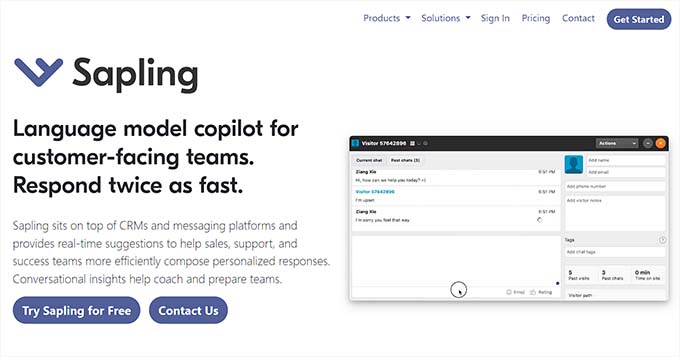
Sapling is a popular CRM and messaging platform that also comes with an AI content detection tool. This makes it an ideal choice for support teams.
It offers context-aware autocomplete suggestions to speed up your writing process and comes with features like chat assistance and real-time chat suggestions that can help when talking to customers.
Additionally, we love that Sapling color-codes the content pasted in its editor to make it easier for users to interpret the results.
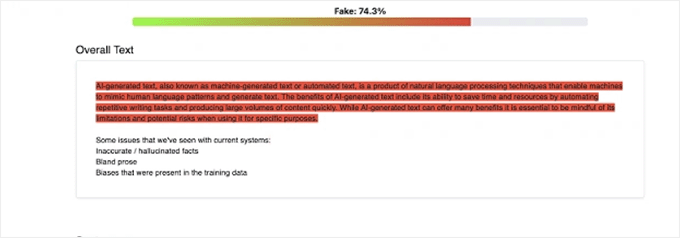
The platform also offers a grammar checker, style checker, and clarity checker tools to further improve your content quality.
It works seamlessly across different platforms like Gmail, LinkedIn, Salesforce, and more.
Pros of Sapling
- Sapling has the ability to analyze AI-generated content with just 50 words, making it an ideal choice for short-form content like product descriptions.
- It has a free version.
- It works inside CRMs and email marketing clients.
- The tool supports multiple languages.
- The tool comes with features like chat macros and suggested responses that you can use to save time when communicating with customers.
Cons of Sapling
- Its paid plan is a bit expensive for some users.
- In our testing, we found that Sapling’s AI detection tool is not 100% accurate.
- It offers limited customization for the suggestions the tool makes.
Why we recommend Sapling: Sapling is an excellent choice for a customer support team as it comes with other built-in features like chat assistance and real-time suggestions that can be useful when managing customers.
It is also a great tool for writers who are on a tight budget, as it offers a free version that comes with most of the core functionality.
4. Writer
Writer is an all-in-one platform that can improve the overall quality of your content. It comes with a detection and plagiarism checker tool that can identify AI-generated content and also ensure that your content is grammatically accurate. This makes it a great choice for copywriters.
While researching, we liked the platform’s AI Guardrails feature, which is designed to help businesses stay compliant with legal, regulatory, and brand standards.
It ensures that any AI-generated content aligns with your company’s policies and guidelines.
Writer can also integrate with WordPress, Microsoft, Google Docs, Chrome, and more.
Pros of Writer
- Other than AI content detection, Writer also has built-in grammatical suggestions, tone recommendations, and content moderation features.
- It can detect AI-generated content from pasted text or by using a URL.
- The free version is generous, allowing you to check up to 5,000 words at a time.
- We really like the Style Guide feature that lets you create and enforce style guides for your brand, ensuring consistent tone and voice across all content.
Cons of Writer
- The tool’s AI detection is not 100% accurate and can sometimes miss AI-generated content if it has been rephrased.
- There is no free trial option.
Why we recommend Writer: Writer is an ideal tool for copywriters who want to ensure that their content is free from plagiarism, AI-generated content, grammatical errors, and more.
It is also a good choice for larger organizations and teams because Writer can easily integrate with popular CMS platforms.
5. Copyleaks
Copyleaks is a powerful AI detection and plagiarism checker tool that is the ultimate choice for educational institutions.
The tool uses an algorithm to check if the content has been copied, paraphrased, or generated using AI to ensure high-quality content on your website.
We thoroughly tested the tool and found that it offers seamless integration with popular LMS software like Blackboard, Canvas, and Moodle.
This makes it easier to check the authenticity of an assignment submitted by a student.
Pros of Copyleaks
- Copyleaks offers a Chrome extension.
- It can detect plagiarism and AI-generated content in about 100 languages.
- Copyleaks can be used for a variety of documents, including PDFs, PowerPoint presentations, spreadsheets, images, and more.
- We were impressed by its AI grader tool, which allows you to give a more accurate grade to students for written assignments.
- Copyleaks is super affordable, and its pricing plan for work starts at $8.33 per month.
Cons of Copyleaks
- It can sometimes miss AI-generated content if it has been heavily edited or rephrased.
- It offers limited features.
- Copyleaks takes a bit longer to check content for plagiarism compared to other tools on this list.
Why we recommend Copyleaks: Copyleaks is the ideal platform for educators and students, as most of its features are specifically tailored to their needs. It can help educators verify the authenticity of assignments submitted by their students and may even help with grading those assignments.
6. CrossPlag

CrossPlag is an AI-generated content detector and plagiarism checker tool ideal for small businesses.
It comes with an easy-to-use interface and a thermometer scale graphic that shows the quantity of AI-generated content used in an article.
When researching, we discovered that CrossPlag prioritizes user data privacy, ensuring that content is not stored or shared without consent.
Pros of CrossPlag
- CrossPlag can detect plagiarism in multiple languages.
- It offers a free version.
- It has a simple user interface, making it an ideal choice for beginners.
Cons of CrossPlag
- CrossPlag’s database for plagiarized content is not always up-to-date, meaning it may not be able to detect recent plagiarism.
- Sometimes, the tool inaccurately flags legitimate content as AI-generated or plagiarized.
Why we recommend CrossPlag: CrossPlag is a simplistic tool that is a great choice for writers or SEO editors because its fast detection makes it easier for SEO professionals to manage large quantities of content.
Which Is the Best AI Content Detection Tool?
After extensive testing, we can confidently say that Originality.ai is the best AI content detection tool for most writers and website owners. Its accuracy, real-time scanning, and built-in plagiarism checker are unmatched.
For those in academia, GPTZero and Copyleaks are excellent choices designed with educators in mind. If you’re on a tight budget or just starting out, Sapling‘s free version provides a solid entry point for checking your content.
Ultimately, the right tool will help you leverage AI’s benefits while preserving the authenticity and quality your readers expect.
Frequently Asked Questions About AI Content Detectors
Our readers often ask us questions about AI content detectors. Here are our answers to the most common questions.
What is an AI content detector?
A content detector is a tool that uses artificial intelligence to identify AI-generated or plagiarized text in your content. It helps users ensure that the content they post on their website is authentic.
Why should I use an AI content detector?
Using AI detectors for your WordPress site’s content can help prevent plagiarism by identifying content that has been copied from other internet sources. Similarly, this tool can also recognize content that has been created using an AI writing assistant.
It can also improve your writing skills by pointing out grammatical and spelling mistakes or suggesting a better sentence structure.
What is the most accurate AI content detector?
Originality.ai is the most accurate content detector on the market. In our testing, it demonstrated an exceptionally high accuracy rate.
However, you can also use GPTZero, which also has a very high accuracy rate for detecting plagiarized or AI-generated text.
Which AI content detector is right for me?
There are several factors to consider when choosing an AI detector tool for your WordPress website
Accuracy: The accuracy rate of the content detector that you choose is important. For example, Originality.ai and GPTZero have the highest accuracy rates among content detectors.
Features: Some AI content detectors, like Sapling, also offer other features like grammar checkers, chat assistants, real-time suggestions, and more.
Price: The pricing for each AI detector varies. For example, if you are on a budget, then you can use GPTZero, CrossPlag, or Copyleaks, as they are budget-friendly.
Best Guides for Using AI on Your WordPress Website
If you liked this article, then please subscribe to our YouTube Channel for WordPress video tutorials. You can also find us on Twitter and Facebook.


